X-Power Plus
X-Power Plus

The all-in-one tab manager, tab suspender & bookmark manager

One side panel replaces a drawer full of single-purpose extensions: tab groups, one-click freeze, session snapshots, dead-link & duplicate bookmark checks, a history archive beyond 90 days, and Google Drive backup.

5 languages 30 day free Pro trial 5 devices per license
features

Built for people who live in their tabs

Four pillars, one side panel — each one replaces an extension you'd otherwise install separately.

tab manager

Close, sort, freeze — one click at a time

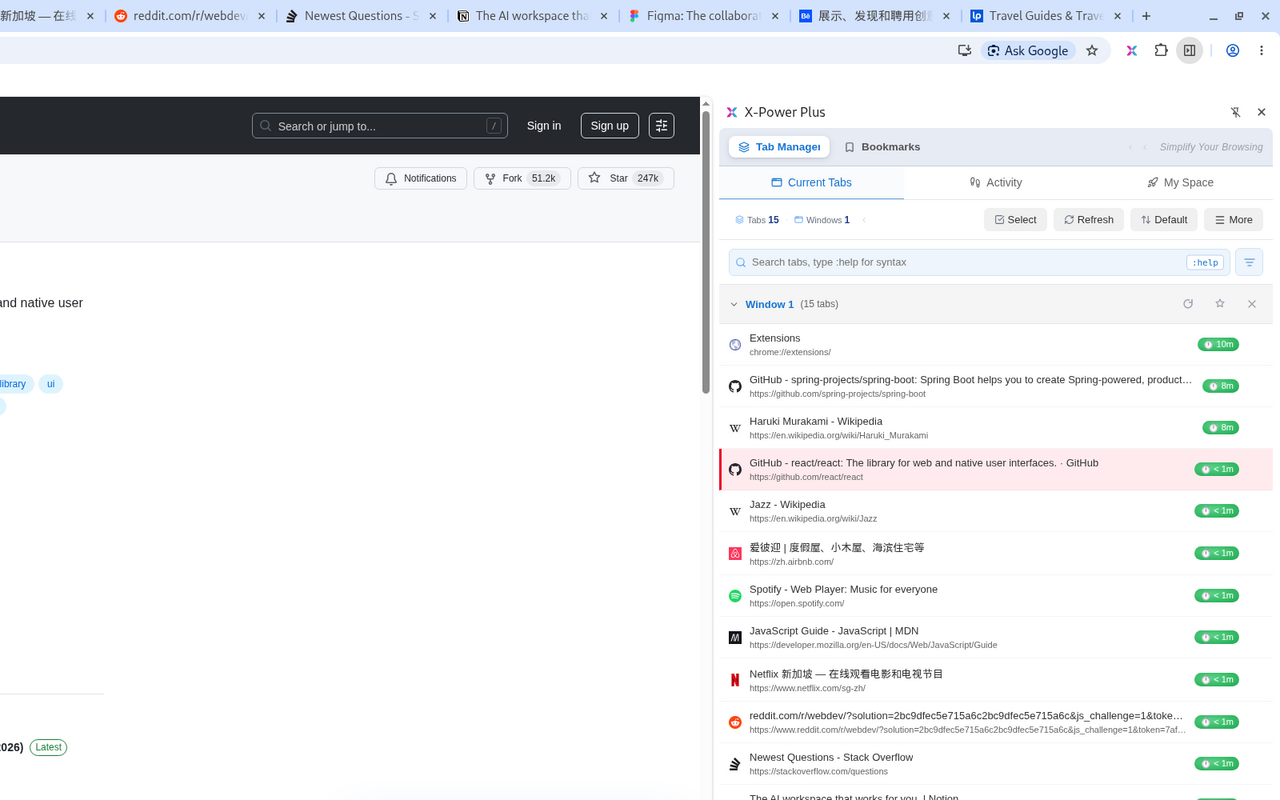
See every window and tab in one side panel. Close by window, by domain, or duplicates only. Group tabs into "Spaces" and open a whole work/study/gaming setup at once. Freeze inactive tabs to free memory — a whitelist keeps the sites you care about always awake.
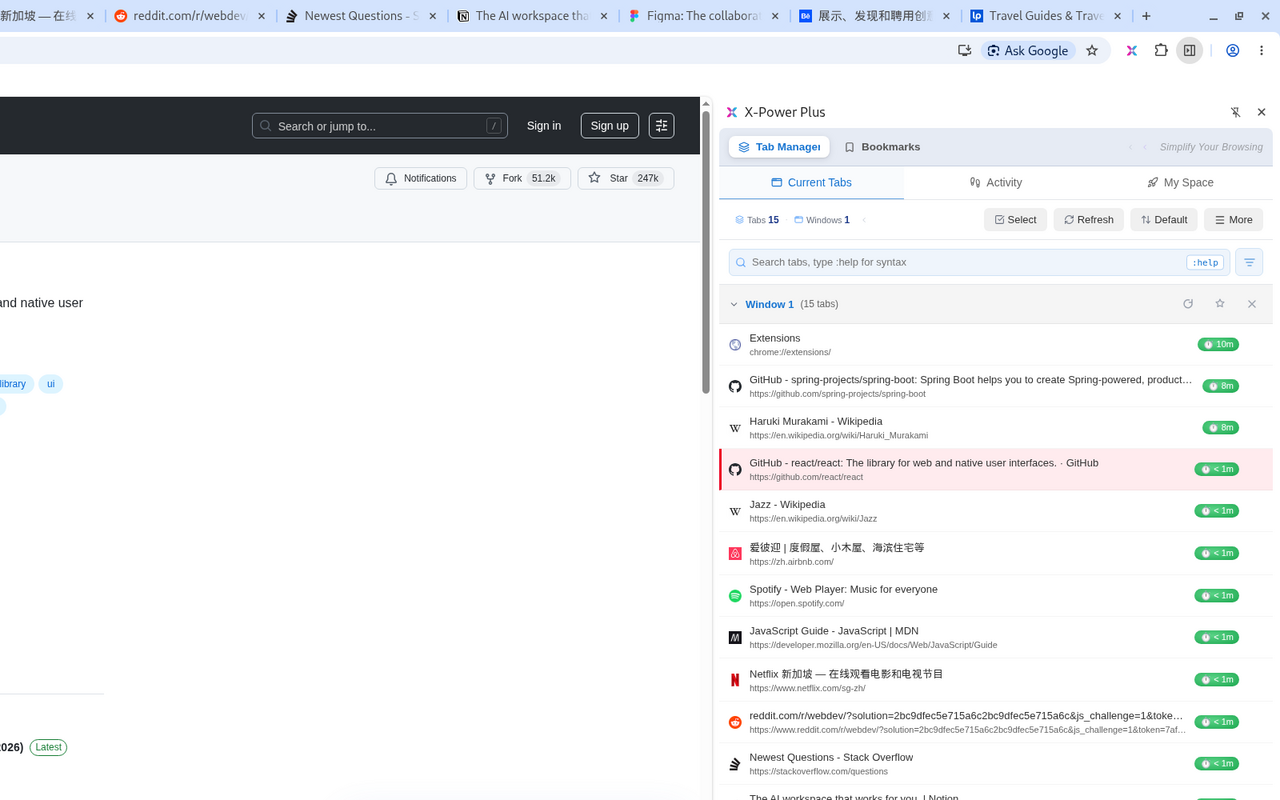
  • Content search: full-text search inside open tabs
  • One-click tab freeze with a whitelist and auto-freeze timer
  • Session snapshots — restore everything after a crash
tabs.panel
Tab overview & groupsscreenshot coming
Tab overview and groups
bookmark manager

Dead-link & duplicate checks, multiple views

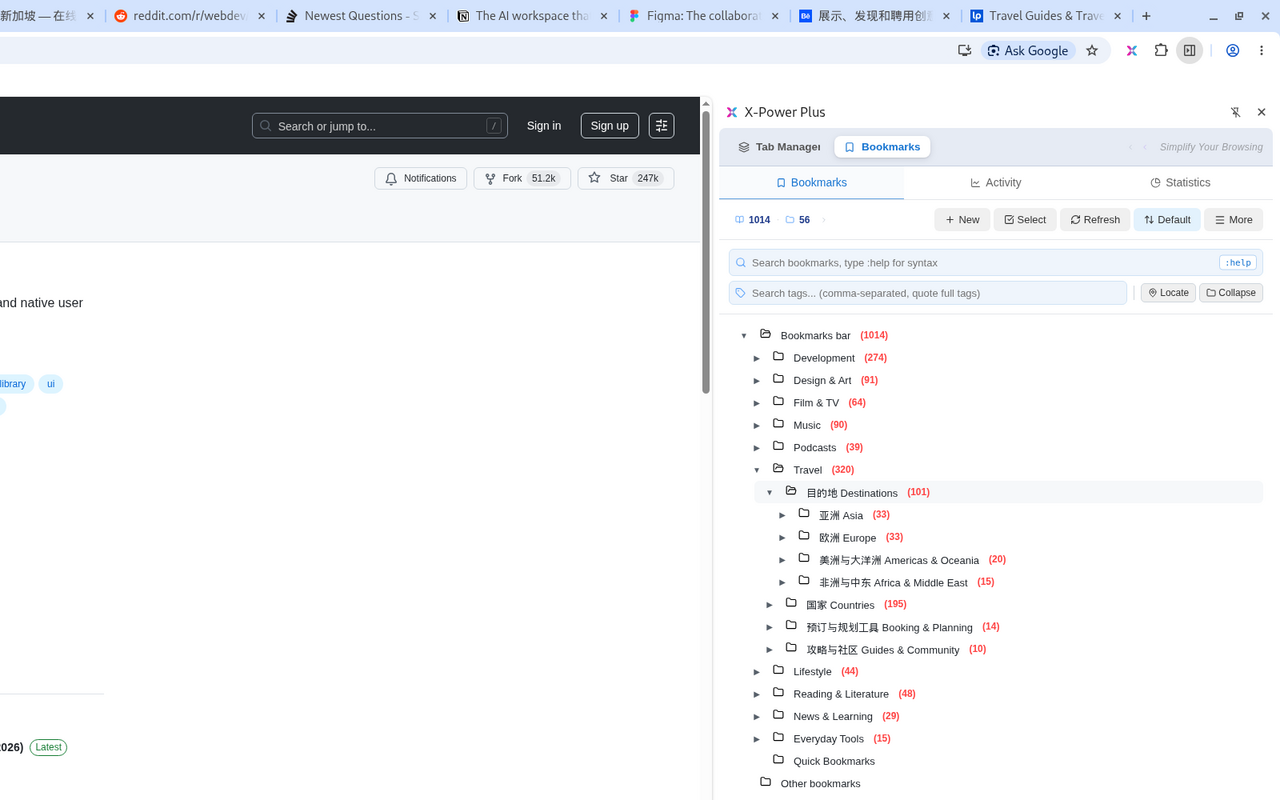
Tree view, flat list, and a privacy view — with tags, auto-tagging, locking and batch operations. Batch-check bookmarks for dead links with smart handling of bot-protected sites, find and merge duplicates, and recover anything you delete from the recycle bin.
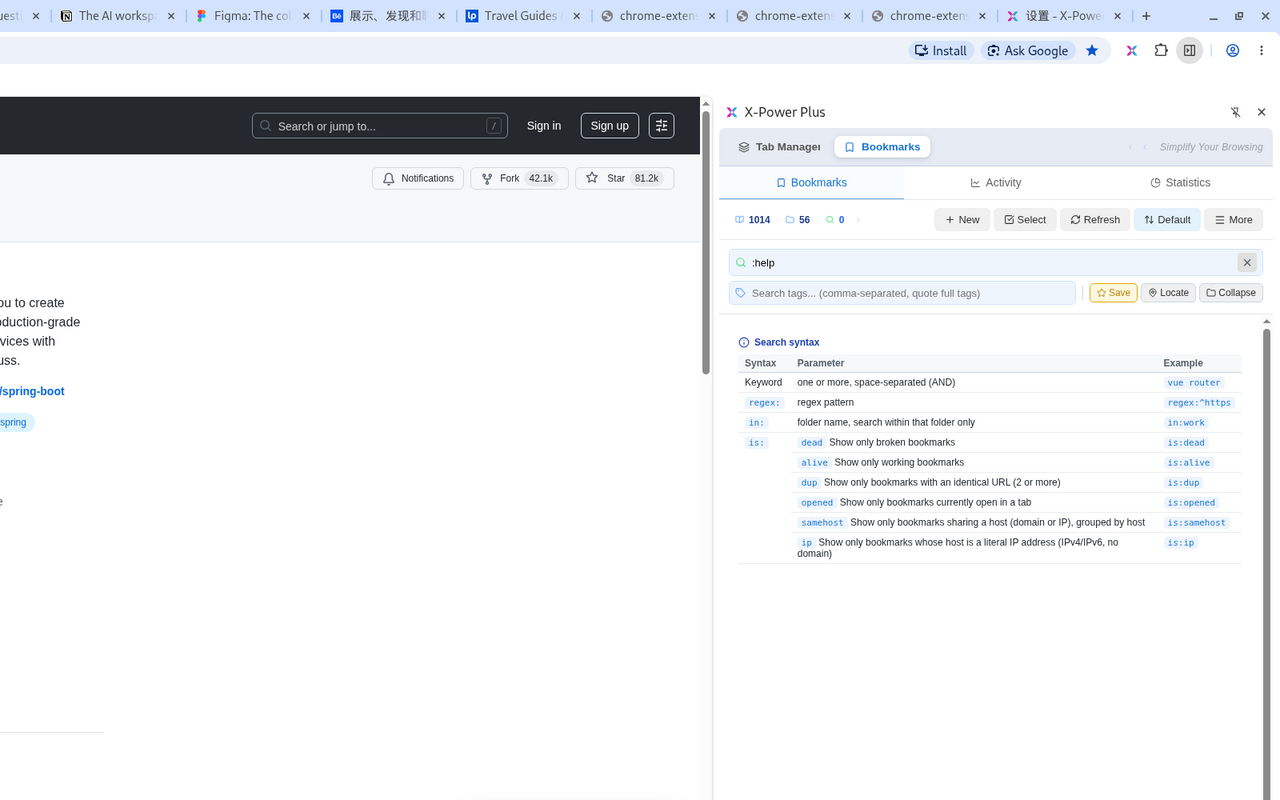
  • One-click bookmark (Alt+C) and one-click "locate in tree"
  • Scheduled automatic dead-link checks
  • Recycle bin: 7 days free, 90 days on Pro
bookmarks.panel
Dead-link check resultsscreenshot coming
Dead-link check results
history + search

History beyond 90 days, search like a pro

Chrome deletes browsing history after roughly 90 days — X-Power Plus keeps a local archive so nothing is lost. Keyword search works for everyone; Pro unlocks syntax search across bookmarks, tabs, history and snapshots.
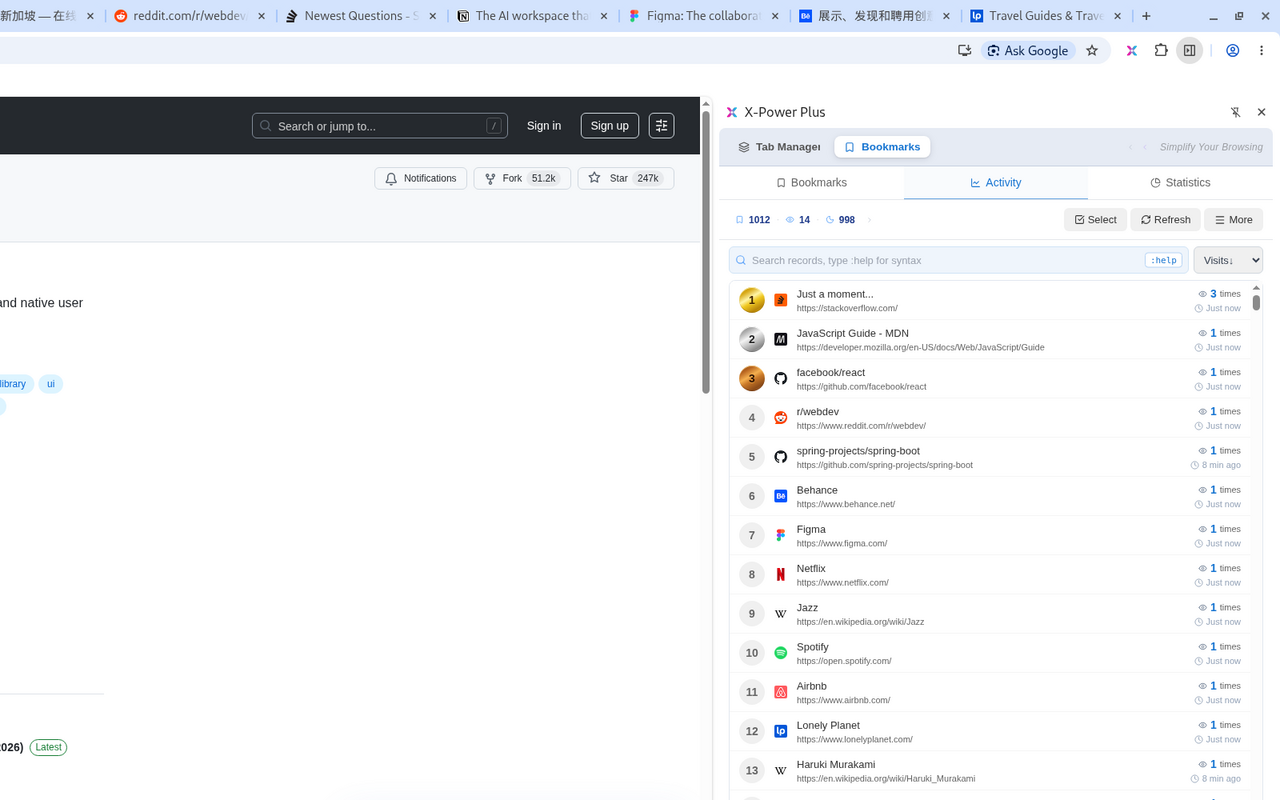
  • regex: date: count: top: is: sg: content:
  • Type :help in any search box for the full cheat sheet
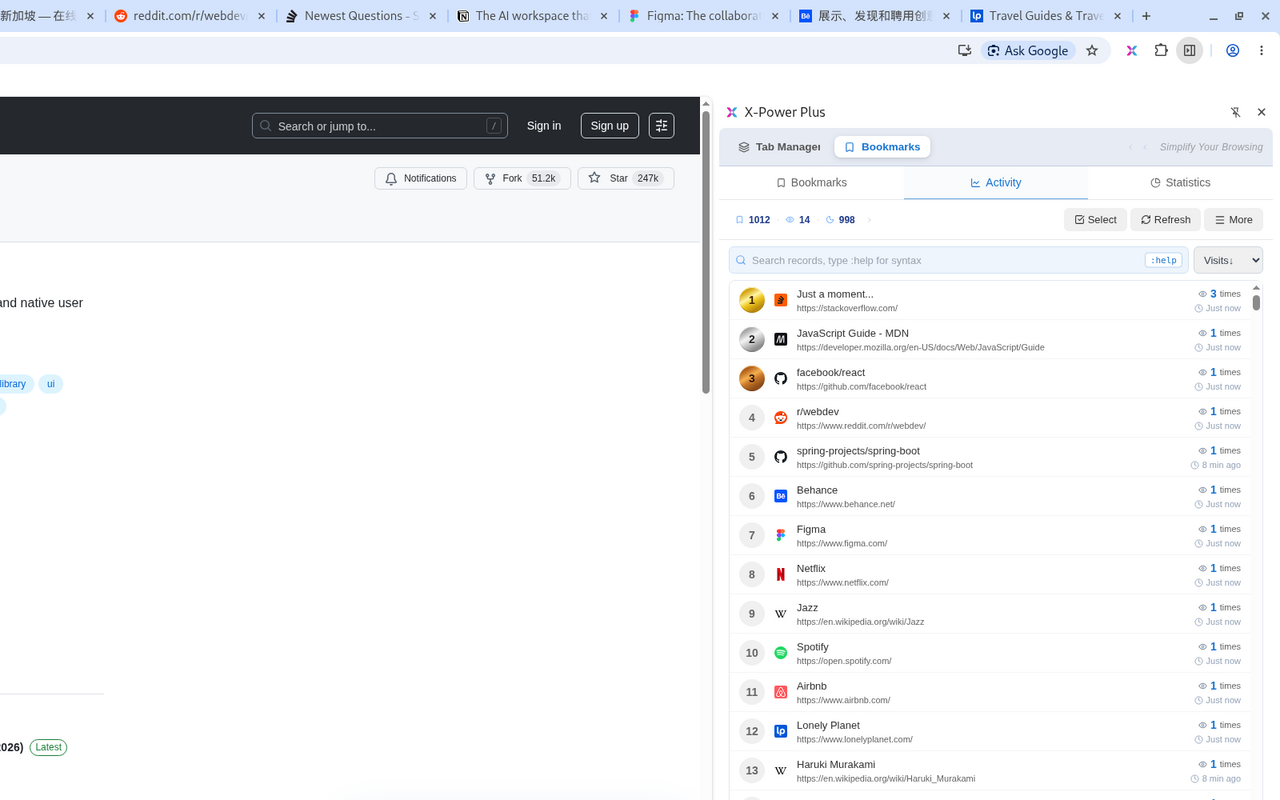
  • Visit rankings and per-domain time statistics
history.panel
History archive + :helpscreenshot coming
History archive and syntax search cheat sheet
your data, your rules

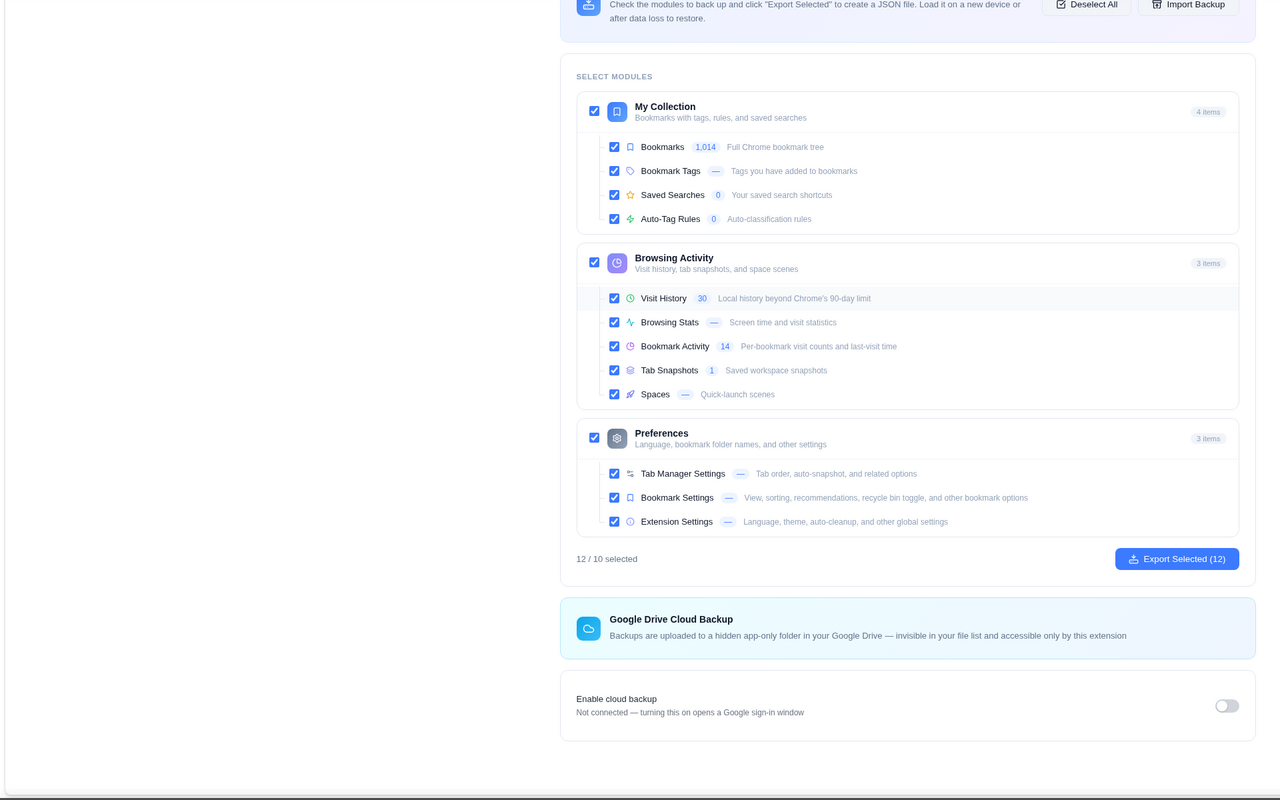
Back up to your own Google Drive

One click, or on a schedule, backs up bookmarks, tags, settings and your history archive to your own Google Drive appDataFolder — a hidden folder only this extension can see. Restoring is always free, on every plan, forever.
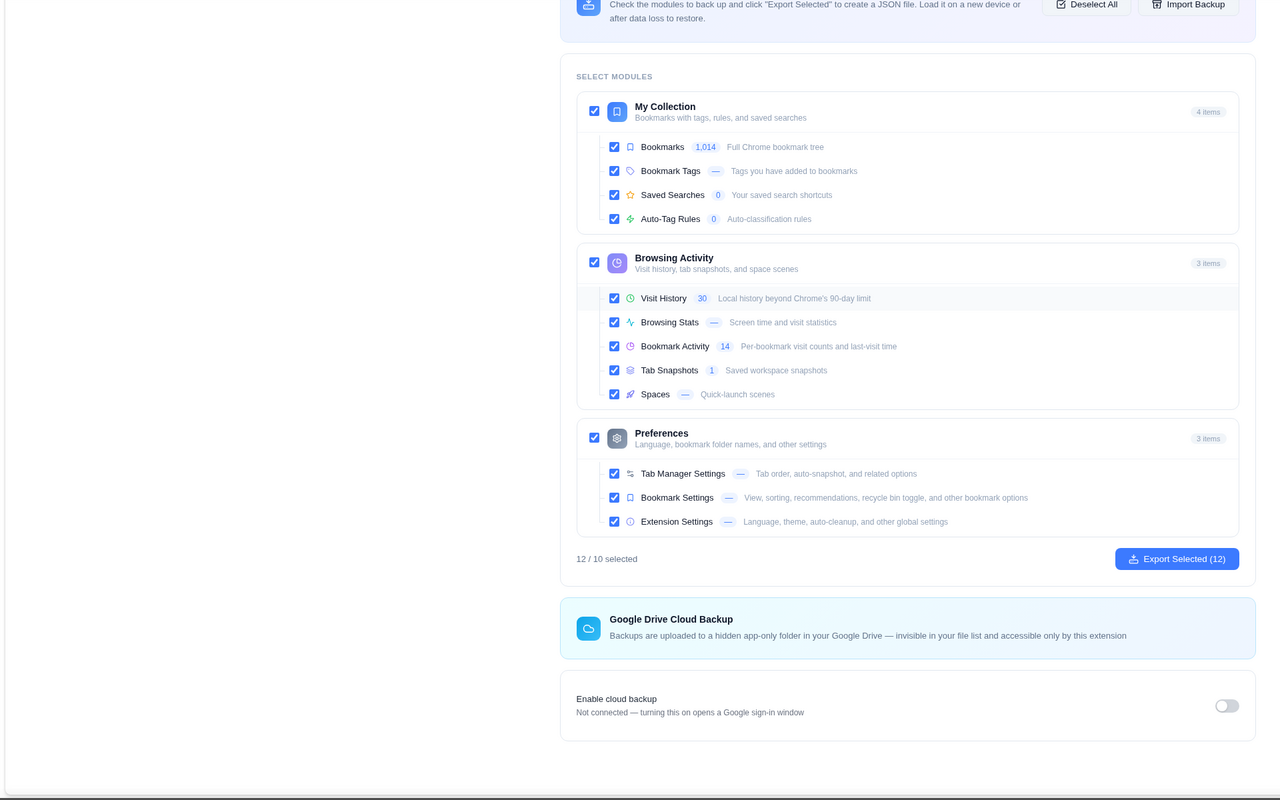
  • Manual and scheduled backups (Pro)
  • Restore is free — no data is ever held hostage
  • Local export/import included for everyone
backup.panel
Cloud backup cardscreenshot coming
Cloud backup card

Also included

Quick Launch spaces

Group and open a whole set of sites in one click.

Reading list

Save pages to read later, right from the panel.

Time & media stats

Per-site screen time and media watch-time limits.

Bookmark activity ranking

See which bookmarks you actually revisit.

Failed-tab detection

Spot tabs that failed to load, at a glance.

5 languages

English, 简体中文, 繁體中文, 日本語, 한국어.

screenshots

See it in the side panel

1
screenshot coming
Tabs & groups
2
screenshot coming
Freeze & snapshots
3
screenshot coming
Dead-link results
4
screenshot coming
History + :help
5
screenshot coming
Cloud backup
pricing

Simple pricing, 30-day free trial for everyone

Free
$0
  • All core tab & bookmark features
  • History view: last 90 days
  • Dead-link check: 200 per run
  • Local backup & restore
Install from Chrome Web Store
POPULAR Pro — Yearly
US$29 / year
  • Cloud backup to your Google Drive
  • Unlimited history archive
  • Unlimited + scheduled dead-link checks
  • All syntax search prefixes
  • 90-day recycle bin · 5 devices
  • Auto-renews at US$29/year, cancel anytime
Pro — Lifetime
US$59 one-time
  • Everything in Pro, forever
  • Current major version included
  • One-time payment, no subscription

All prices in USD. Taxes may apply and will be calculated at checkout. The 30-day free trial runs inside the extension and requires no payment details; once it ends, the free plan applies until you purchase Pro at the full prices shown above. The yearly plan renews automatically at US$29/year until canceled.

faq

Frequently asked questions

How does the 30-day trial work?

Every install gets all Pro features free for 30 days — no sign-up, no card. After the trial, core features stay free and Pro features lock until you upgrade.

How many devices can I use?

One license activates up to 5 devices. You can unbind devices anytime in the extension settings.

Where is my data stored?

All extension data lives locally in your browser. Cloud backups go to your own Google Drive — we never see or store your browsing data.

What is your refund policy?

14-day money-back guarantee, no questions asked. See the refund policy below.

Is X-Power Plus on the Chrome Web Store yet?

The listing is pending Chrome Web Store review. Once it's live, the "Install from Chrome Web Store" button above will link straight to it — check back soon.

Try every Pro feature free for 30 days

No sign-up, no card — just install and go.